

New features in Genealogy Assistant | August 2026
Unweighted cM and segment data in your CSV downloads, plus WikiTree and FreeBMD search links, Safari support and more.

Here’s what’s new in Genealogy Assistant and our other tools over the last month. Is there a feature you want to see next? Suggest a feature here.
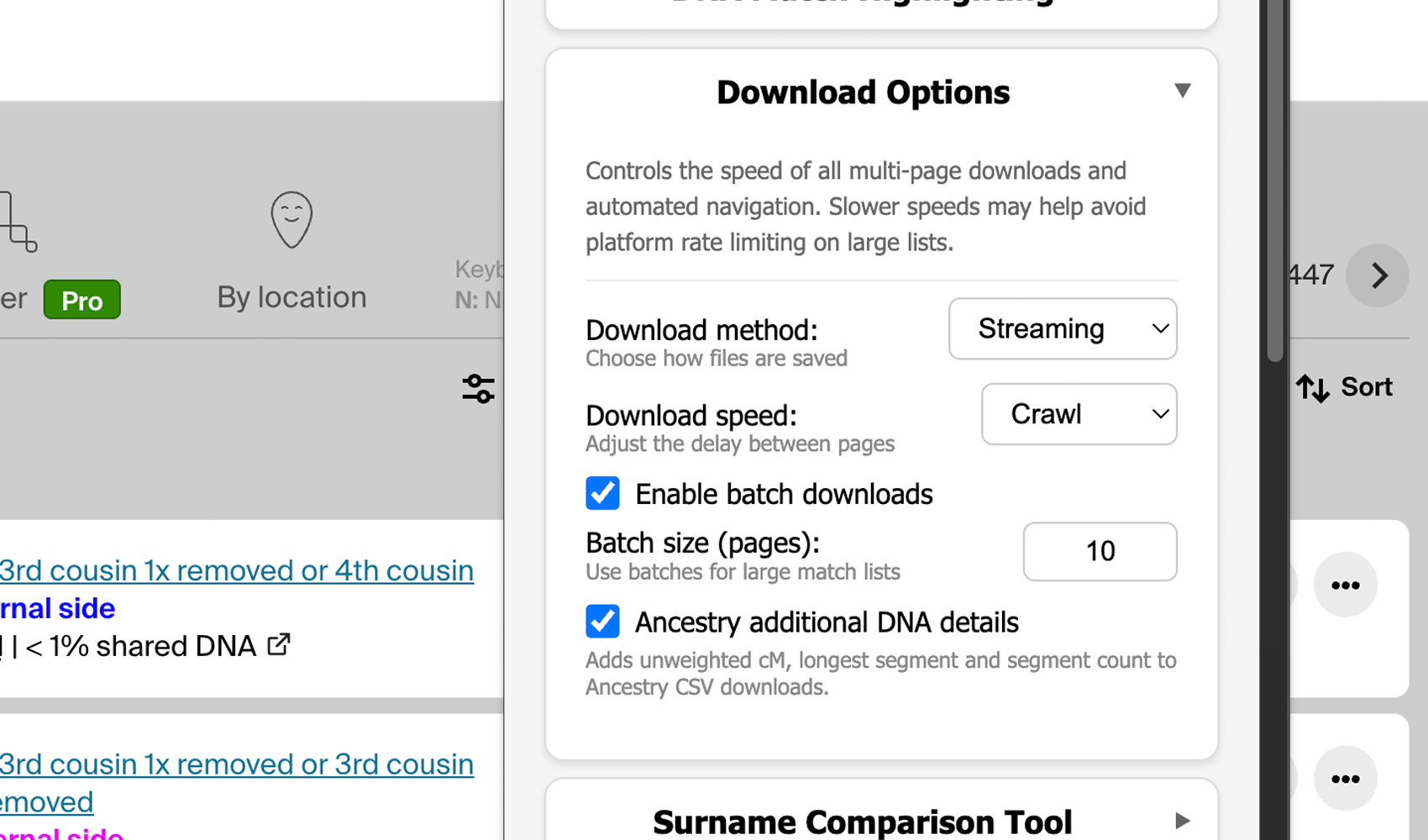
Get more cM and segment data in your Ancestry downloads
When downloading CSV files from Ancestry, Genealogy Assistant can now save additional data such as unweighted cM, longest segment cM and number of shared segments. This works on both the matches and shared matches lists, and includes data for matches of matches when using ProTools.
You can enable this extra data by clicking on “Edit advanced settings” from the Genealogy Assistant popup menu, then clicking on “Download Options” and selecting the checkbox next to “Ancestry additional DNA details”. You can also reach these settings from the gear icon on the download button.
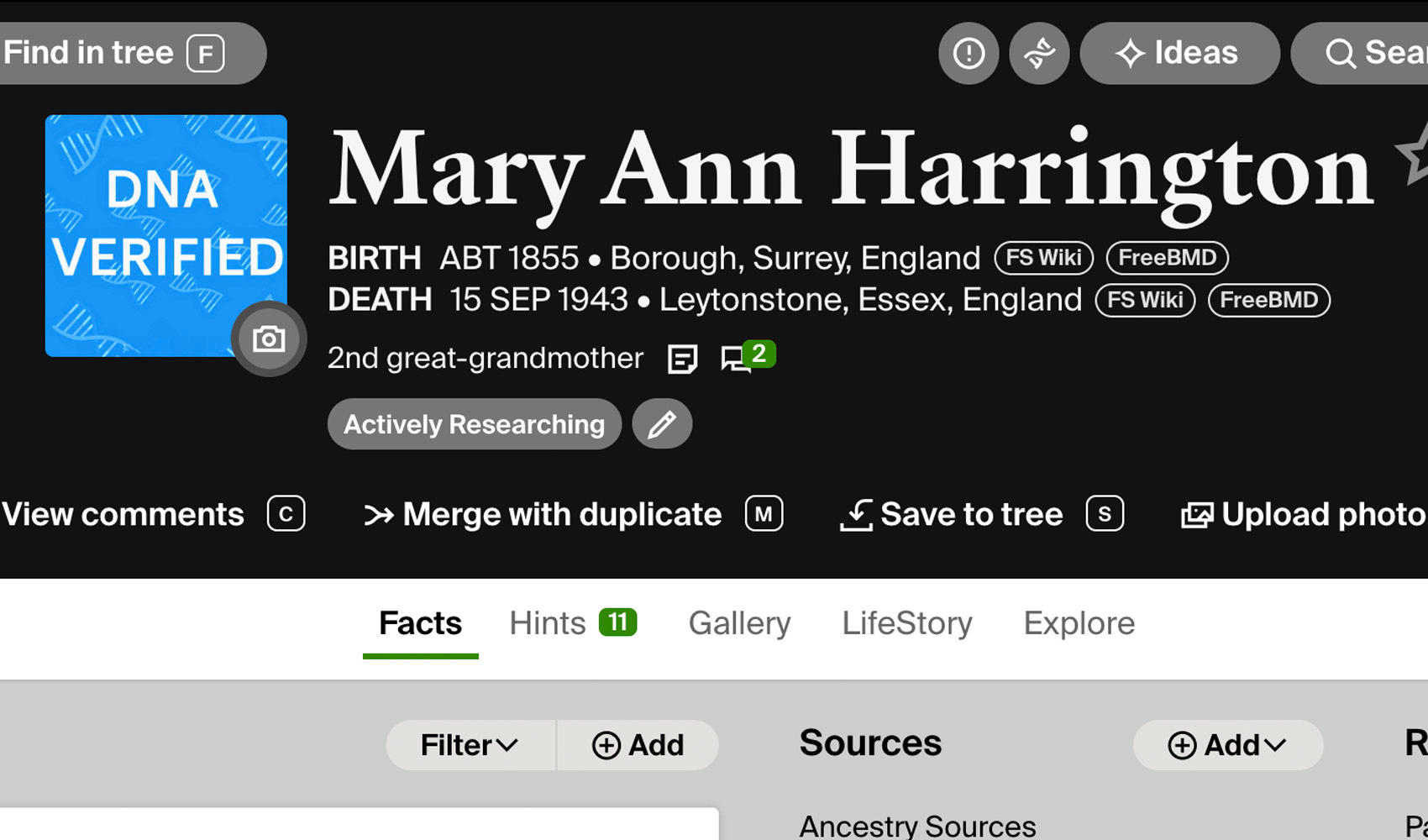
Easily search WikiTree, ScotlandsPeople and FreeBMD
Advanced Search on Ancestry profile pages can now search WikiTree for the person you are viewing. This feature also adds links beside the birth and death fields that search FreeBMD and ScotlandsPeople, pre-filled with the person’s name and dates so you don’t have to retype them.
A FreeBMD link shows for England and Wales births and deaths between 1837 and 2000, passing on the mother’s maiden name on births from 1911, when the GRO index began recording it. A ScotlandsPeople link shows for Scottish births and deaths, linking to statutory registers from 1855 and church registers from 1553 to 1854. Let us know what regions you want to see next!
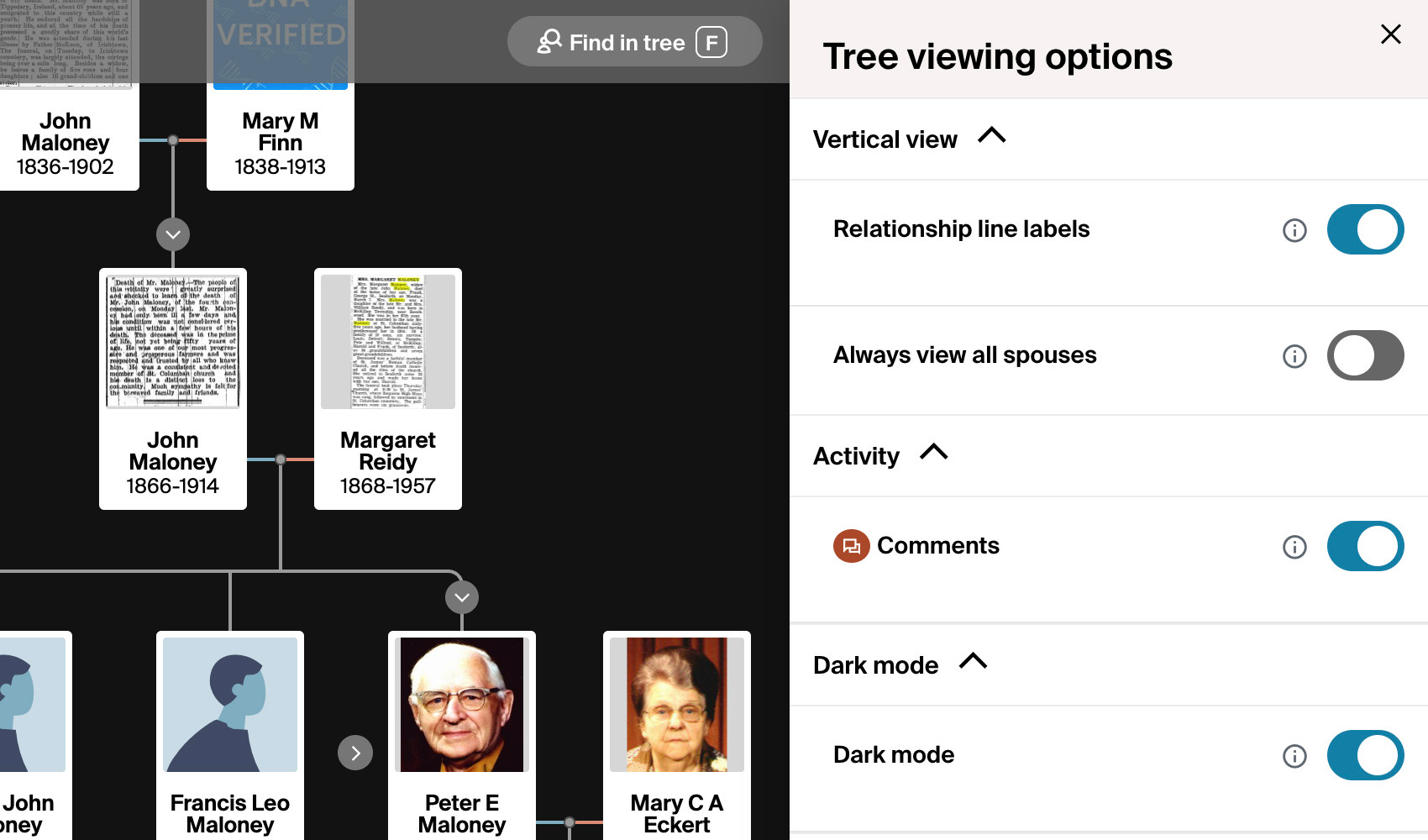
Apply custom settings to each Ancestry family tree you view
Ancestry stores tree viewing options separately for each tree you view, and doesn’t allow you to set any sort of defaults. If you work across several trees, that means the same handful of clicks each time you open a new one. “Custom Tree Viewing Options” applies your preferred options automatically.
“Always view all spouses” is enabled by default. “Hide relationship line labels” removes the small relationship captions on the connecting lines. To change either, open “Edit advanced settings” from the Genealogy Assistant popup menu, then select “Ancestry Tree Viewing Options”.
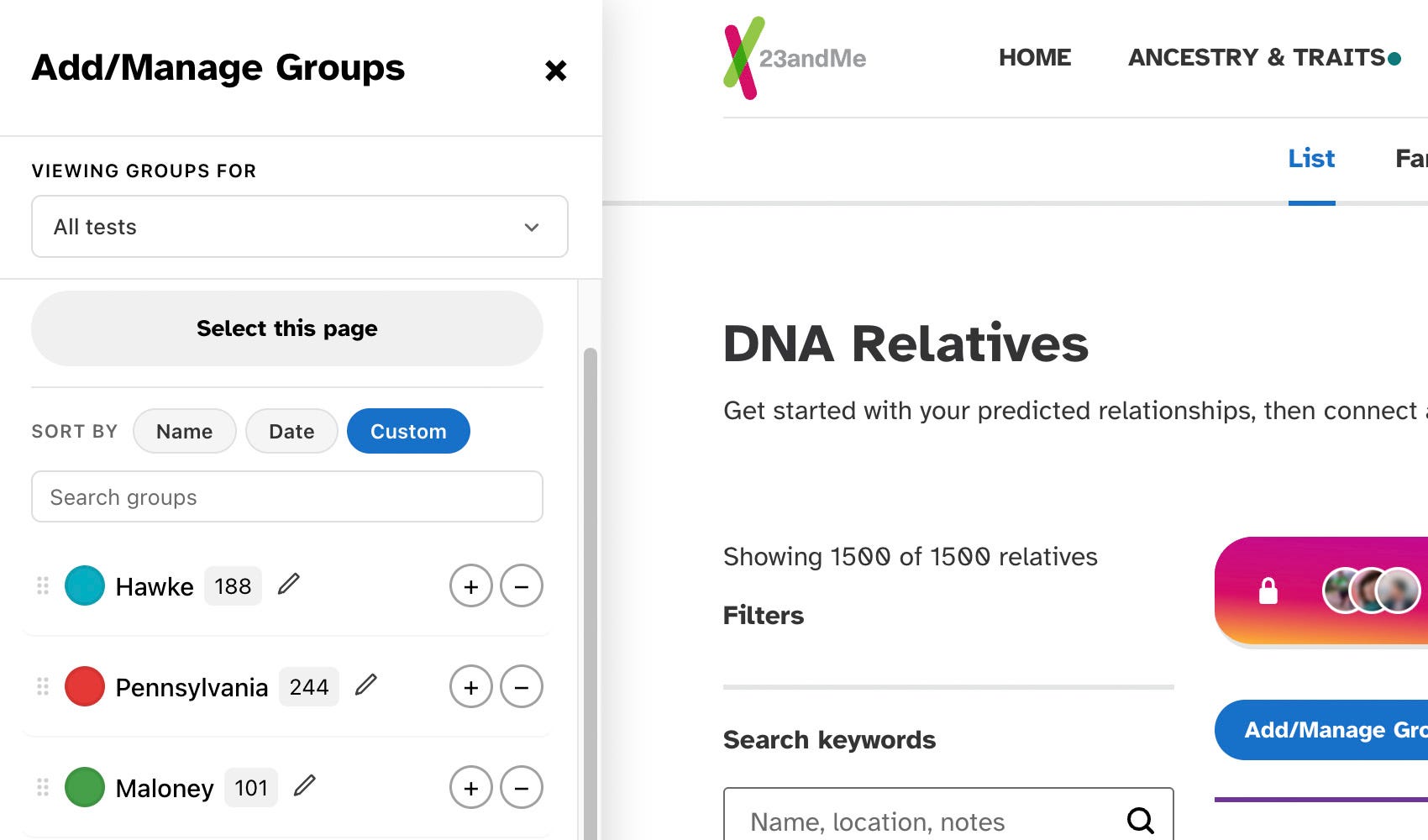
Sort and search groups on 23andMe and FamilyTreeDNA
For 23andMe and FamilyTreeDNA, you can now sort groups in the sidebar by name (default) or date, or arrange them in any custom order that fits your workflow. A new search bar also appears once you have more than eight groups, helping you to quickly find the specific one you’re looking for.
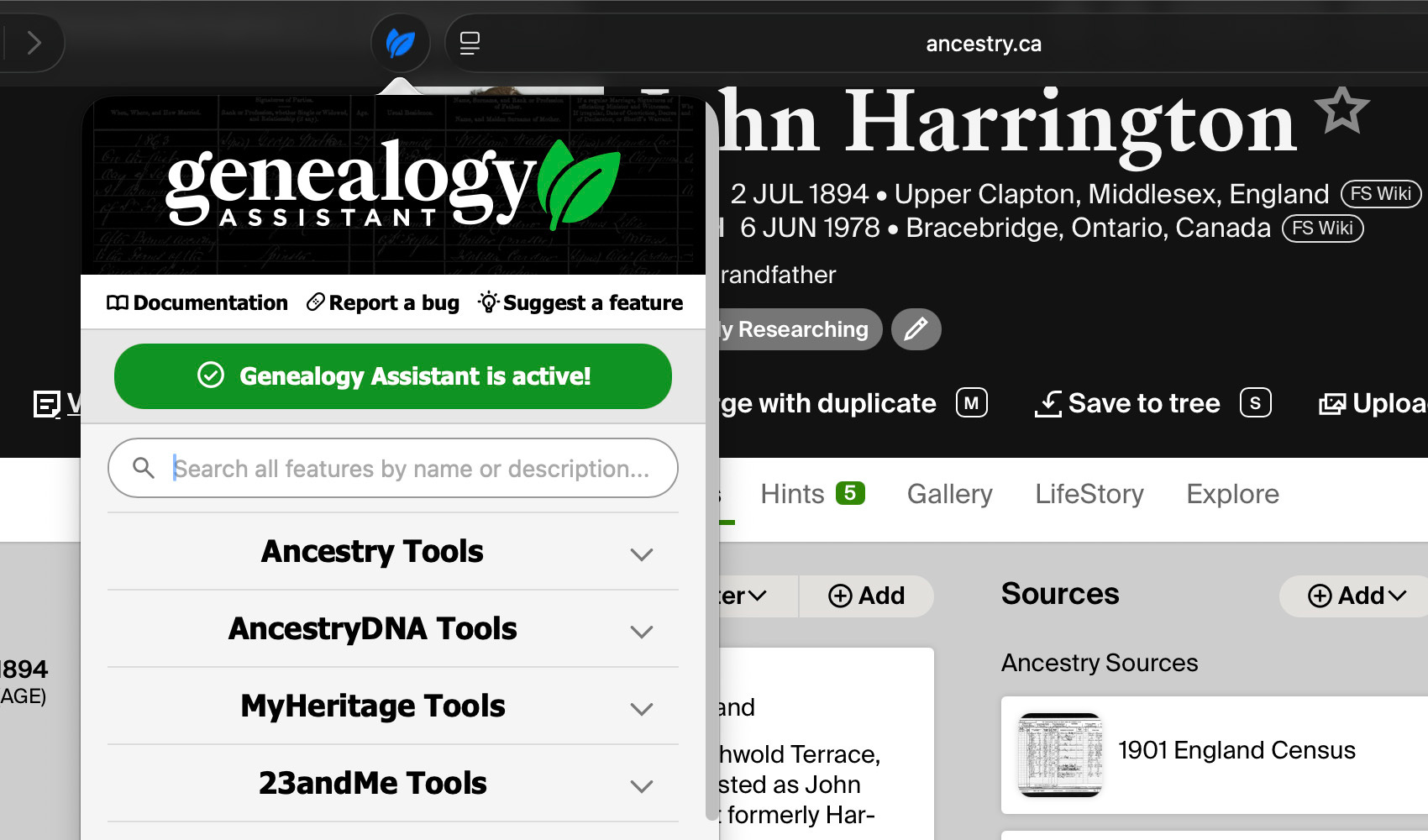
Launching our extensions for the Apple Safari ecosystem
Genealogy Assistant and Genealogy Blurring Tool are now live for Apple’s Safari browser. Learn how to install Genealogy Assistant for Safari on our website and get Genealogy Blurring Tool free in the Mac App Store.
Thanks for your time and with best wishes,
Dan Maloney
I’m new to Substack and this looks like fun. Thanks!